5 free tools to design cafe posters
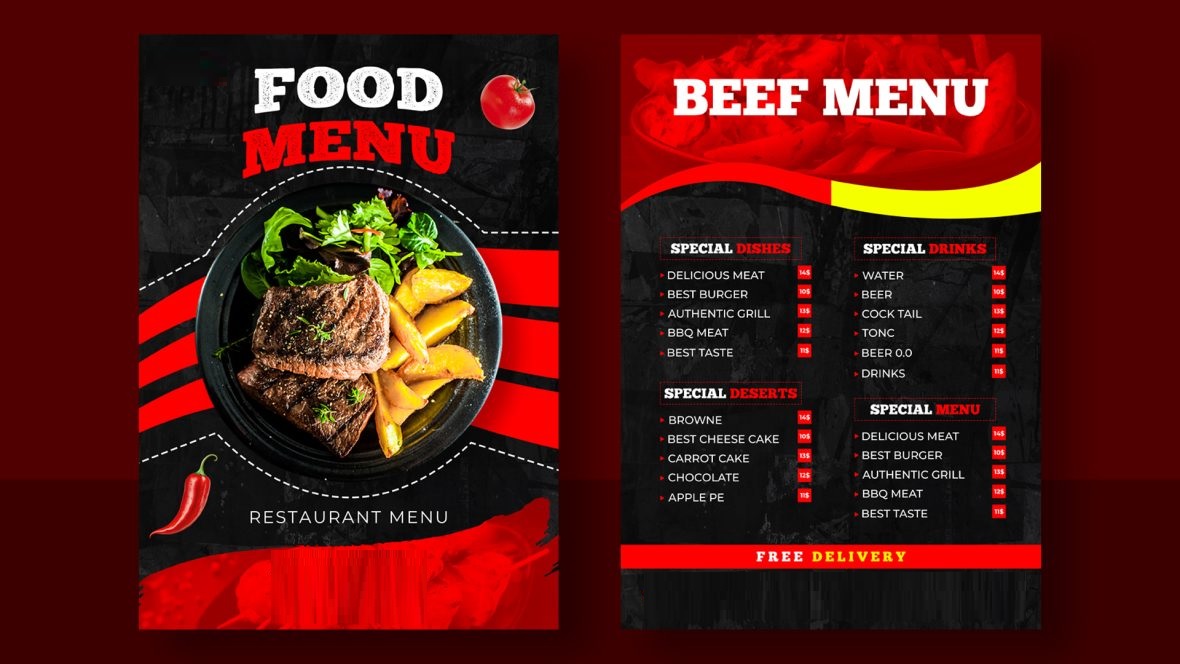
A well-designed cafe poster can do more than advertise a new drink. It can promote a weekend offer, announce live music, highlight seasonal specials, or give customers a reason to stop by. You don’t need to hire a designer for every promotion, either. Several online tools offer templates and editing features that make it easier to create attractive posters yourself.
The right tool depends on what you need. Some focus on quick graphic design, while others offer video editing, AI features, or ways to share your promotions online. Here are five options worth considering for your cafe’s marketing.
Which tools can help you design cafe posters?
1. PosterMyWall
PosterMyWall is a strong starting point for cafe owners who want to design promotional materials and manage their marketing in one place. It offers templates for coffee shops, restaurants, food promotions, events, and social media posts, so you can find a design that fits your next campaign.
Its free cafe posters collection is useful for promoting new menu items, happy hours, seasonal drinks, and special offers. Customize a template with your cafe’s logo, colors, photos, prices, and other details instead of building the layout from scratch.
PosterMyWall also offers several tools for marketing beyond the poster itself:
- Create with AI: Describe the promotion you have in mind using Create with AI to generate design ideas and editable visuals.
- Social media publishing: Create promotional graphics and schedule posts for connected social accounts.
- Email marketing: Use your designs in email campaigns to announce new menu items, discounts, or upcoming events.
- Video and animation: Turn static promotions into animated content for digital displays and social media.
- Resizing tools: Adapt a poster into different formats for social media, print, and other channels.
The free plan includes basic design features, resizing, and limited downloads. Some AI tools and advanced marketing features require a paid plan. PosterMyWall Premium starts at $13 per month, with annual billing available at a lower effective monthly rate.
Best for: Cafe owners who want to create posters and reuse their designs across several marketing channels.
2. Canva
Canva is a popular graphic design platform with a drag-and-drop editor and a large collection of customizable templates. Its poster designs cover everything from coffee promotions and bakery specials to cafe openings and seasonal campaigns.
You can change fonts, colors, images, and layouts without needing much design experience. Canva also offers photo editing, background removal on eligible paid plans, and AI-powered tools that can help with visual ideas and content creation. For cafe marketing, Canva is useful when you need to create a consistent set of materials. You might design a poster for a new iced coffee, then create matching Instagram posts, menu graphics, or promotional stories using the same colors and imagery.
The free plan includes a range of templates and editing features, while Canva Pro unlocks additional assets, AI features, and tools such as automatic resizing. Some templates and elements are available only with a paid subscription.
Best for: Cafe owners who want flexibility to create posters, menus, social media graphics, and other branded materials.
3. Kapwing
Kapwing is particularly useful if your cafe relies on video content to attract customers. Alongside image and graphic editing, the platform offers tools for creating short videos, adding text and subtitles, and adapting content for social media.
For a cafe, that could mean turning footage of a barista preparing a latte into a promotional video, adding captions to a behind-the-scenes clip, or creating animated content for a seasonal drink launch. Kapwing can also help with poster-style graphics and promotional visuals. Its editing tools are useful when you want to combine product images, text, and branding into a design, although its main strength is multimedia content rather than a dedicated library of cafe poster templates.
A free plan is available, but export limitations and other restrictions may apply. Paid plans provide additional editing capabilities and greater flexibility for producing content regularly.
Best for: Cafes that use short videos and social media content alongside traditional posters.
4. Adobe Express
Adobe Express offers ready-made templates and straightforward editing tools for posters, flyers, social media graphics, and other marketing materials. It is worth considering if you want polished designs without learning a more complex professional design application.
You can start with a poster template, add your cafe’s logo and product photos, and adjust the layout to suit a promotion. The platform also includes photo editing, text effects, stock assets, and AI-powered features, with availability depending on your plan. For example, a cafe could use Adobe Express to create a poster for a new breakfast menu, then produce a matching social media graphic to announce the launch. Brand-related tools can also help keep colors and visual elements consistent across different designs.
Adobe Express has a free plan with basic design features and a premium subscription for additional assets and capabilities. Some premium resources and AI features may require a paid plan.
Best for: Cafe owners who want clean, polished promotional graphics and simple tools for maintaining a consistent visual style.
5. VistaCreate
VistaCreate is another template-based design platform that makes it easier to create posters, advertisements, social media posts, and other marketing content. Its editor includes customizable layouts, stock assets, fonts, and animation options.
For cafe promotions, you could use it to advertise a new menu, announce a coffee-tasting session, or highlight a limited-time offer. You can replace the template’s sample content with your own images and wording, then adjust the colors to match your cafe’s branding. VistaCreate also includes features for video editing, animated designs, and social media publishing. AI-powered options, such as image generation and background removal, can help with certain creative tasks, depending on availability and plan.
Its starter plan is free and includes templates, editing tools, and design assets. The pro plan offers additional features and resources for businesses that create promotional content more frequently.
Best for: Small cafes that need a variety of visual materials and want to experiment with both static and animated designs.
How do you choose the right tool?
Your choice should depend on how often you create promotions and where you plan to use them.
| Tool | Main strength | Useful for |
| PosterMyWall | Design and marketing tools in one platform | Posters, social media, email campaigns, and event promotion |
| Canva | Flexible graphic design | Posters, menus, and branded content |
| Kapwing | Video and multimedia editing | Short promotional videos and social content |
| Adobe Express | Polished templates and creative tools | Posters, flyers, and branded graphics |
| VistaCreate | Templates and animated designs | Promotional graphics and social media content |
Conclusion
You don’t need an expensive setup to promote your cafe. A good template, clear messaging, and appealing food photography can go a long way. PosterMyWall is a practical first choice for creating posters and reusing them across marketing channels. Canva and Adobe Express offer flexible design tools, Kapwing focuses on video content, and VistaCreate supports static and animated designs. Choose the tool that fits your needs and create promotions that give customers a reason to visit.
FAQs
1. What colors work well for cafe posters?
Warm browns, cream, and muted greens suit many cafes, while brighter colors can help highlight special offers. Choose shades that complement your branding and keep the text easy to read.
2. How can I make a cafe poster for a seasonal drink?
Use a clear photo of the drink, a short headline, and a few details about its flavor or availability. PosterMyWall’s templates can help you create a design that fits the season.
3. Can I use the same cafe poster for print and social media?
Yes, but adjust the dimensions for each format. PosterMyWall lets you resize designs so your promotion can work across printed posters and digital channels.